Hosted storefront payments
Connect regional payment gateways to an Ecwid store
Connect supported Powertranz, MPGS, Lynk, or Wompi merchant accounts to an Ecwid storefront through Genius Checkout.
Connection
Ecwid and Genius Checkout
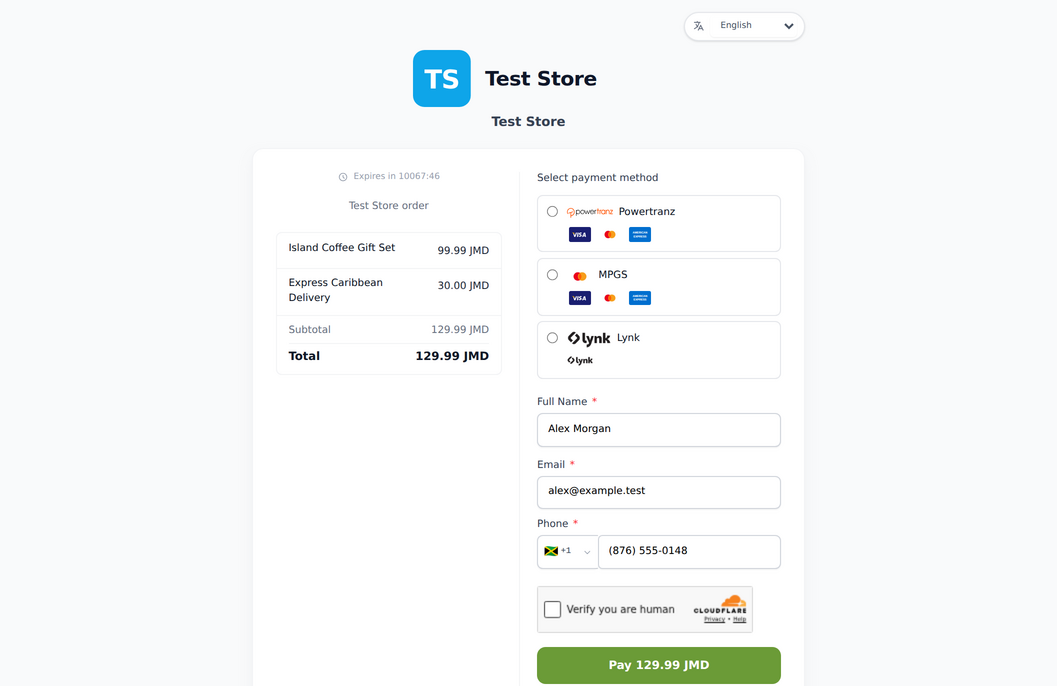
The Genius Checkout payment app sends an Ecwid order into a hosted payment flow and returns the final payment state to the store.
Merchants keep products, orders, and fulfillment in Ecwid while Genius Checkout manages the configured regional payment connection.
Available workflow
Supports
- Storefront payment option
- Order and buyer detail handoff
- Return to the Ecwid order-result page
- Merchant-controlled gateway configuration
Implementation path
Connect without guesswork
Use the credentials and settings supplied by your payment provider.
- 01
Connect your merchant account
Add the credentials supplied by your bank, gateway, or wallet provider to Genius Checkout. Test and live credentials stay separate.
- 02
Connect the software
Install or authorize the Genius Checkout integration for the platform. The connection keeps gateway credentials outside the store or CRM.
- 03
Run a controlled test
Use the approved test mode, verify the return flow and order status, then repeat the checklist in live mode with a permitted low-value transaction.
Before you start
What you will need
Keep production credentials private and enter them only in your secure merchant workspace.
- An Ecwid store eligible to install the app
- A Genius Checkout merchant account
- A configured and tested payment gateway
Merchant questions
Answers before you connect
Does Genius Checkout replace Ecwid checkout?
Ecwid creates the order and hands the payment to Genius Checkout. The integration sends the result back to Ecwid.
Which gateway should I select?
Select the gateway named in the merchant credentials supplied by your bank or provider.
Where do refunds start?
Available refund workflows depend on the app and gateway capability. Merchants can manage supported refunds from Genius Checkout.
Ready to connect Ecwid?