
On this page
- Banks we currently support in Aruba
- Build for tourists and local buyers without confusing currency
- Match Direct or HPP to the sale
- Bring the approved account into Genius Checkout
- Test local and international buyers
- Prepare the staff who will reconcile payments
- Frequently asked questions
- Sources and next step
In Aruba, Genius Checkout currently supports RBC Royal Bank and Caribbean Mercantile Bank (CMB) through our Powertranz integration. Your bank must approve your eCommerce merchant account and issue Powertranz or First Atlantic Commerce (FAC) credentials before you can connect it to Genius Checkout.
Ask the bank to confirm that the approved product runs on Powertranz. Banks may offer more than one payment gateway, and credentials issued for another gateway will not work in the Powertranz module.
Last reviewed: September 25, 2026.
Banks we currently support in Aruba
| Supported bank | What to verify |
|---|---|
| RBC Royal Bank | FAC/Powertranz merchant profile, Direct or HPP mode, AWG or other enabled transaction currencies, settlement account, and tokenization status |
| Caribbean Mercantile Bank | Current eCommerce gateway route, Powertranz-compatible credentials, permitted operations, and technical support process |
RBC Royal Bank supports First Atlantic Commerce for Caribbean eCommerce accounts. Whether you choose RBC or CMB, follow the credential pack issued for your own account because it defines the enabled checkout mode, currencies, and features.
Build for tourists and local buyers without confusing currency
Aruban hotels, tours, restaurants, transport providers, and retailers often serve both residents and international visitors. That can create three different currency concepts:
- The currency displayed to the buyer.
- The currency sent to the gateway.
- The currency in which the institution settles the merchant.
They are not automatically the same. Aruba's local currency context is AWG, while many visitor-facing prices are also discussed in USD. Confirm the exact transaction and settlement setup rather than adding a currency to the website because buyers recognize it.
On the checkout, show the currency code beside every amount. On the receipt, repeat it. For deposits, state whether later balances will use the same quoted currency.
Match Direct or HPP to the sale
A tour operator taking immediate full payment may work well with either approved mode. A membership, repeat-service, or staged-payment business should evaluate Direct with tokenization. A merchant that wants the provider to host card entry may prefer HPP.
For HPP, confirm PageSet, PageName, and whether the profile belongs to the legacy FAC or current Powertranz portal. For Direct, confirm 3-D Secure, immediate sale, authorization/capture, refunds, and tokenization.
If the business uses an embedded sales platform, the final HPP step must open at the top browser level. An external payment page may refuse to render inside the platform's iframe.
Bring the approved account into Genius Checkout
Enter the test credentials in the corresponding Powertranz gateway, select only enabled currencies, and run a controlled payment. Then connect the channel that fits the business:
- WooCommerce for products, tours, bookings, and service packages on WordPress.
- HighLevel for campaigns, appointment offers, CRM automation, and agency-managed sales.
- Ecwid for a storefront embedded into an existing hospitality or retail site.
- Payment links and QR codes for reservations, invoices, social sales, or a counter sign.
- A custom integration for a local reservation, delivery, or membership platform.
Genius Checkout provides a common payment layer across these tools. Each tool must still send a unique order attempt and handle success, decline, cancellation, and retry correctly.
Test local and international buyers
Use one local-style test order and one international visitor scenario. Verify mobile phone formatting, accented names, optional address handling, currency labels, 3-D Secure, and the buyer's return to the right order. A buyer should be able to cancel or use Back without being trapped in a redirect loop.
For an operation that takes deposits, test a second payment request rather than modifying the first transaction. For a refund, confirm that the transaction was captured; an uncaptured authorization normally requires a void when the gateway supports it.
Prepare the staff who will reconcile payments
The daily report should match the website order, Genius Checkout transaction, Powertranz reference, and bank settlement. Give staff a way to search by reservation or order reference without exposing full card data. Define who handles declines, refunds, disputes, and payments that succeeded at the gateway but did not immediately update the website.
See the Powertranz checkout experience
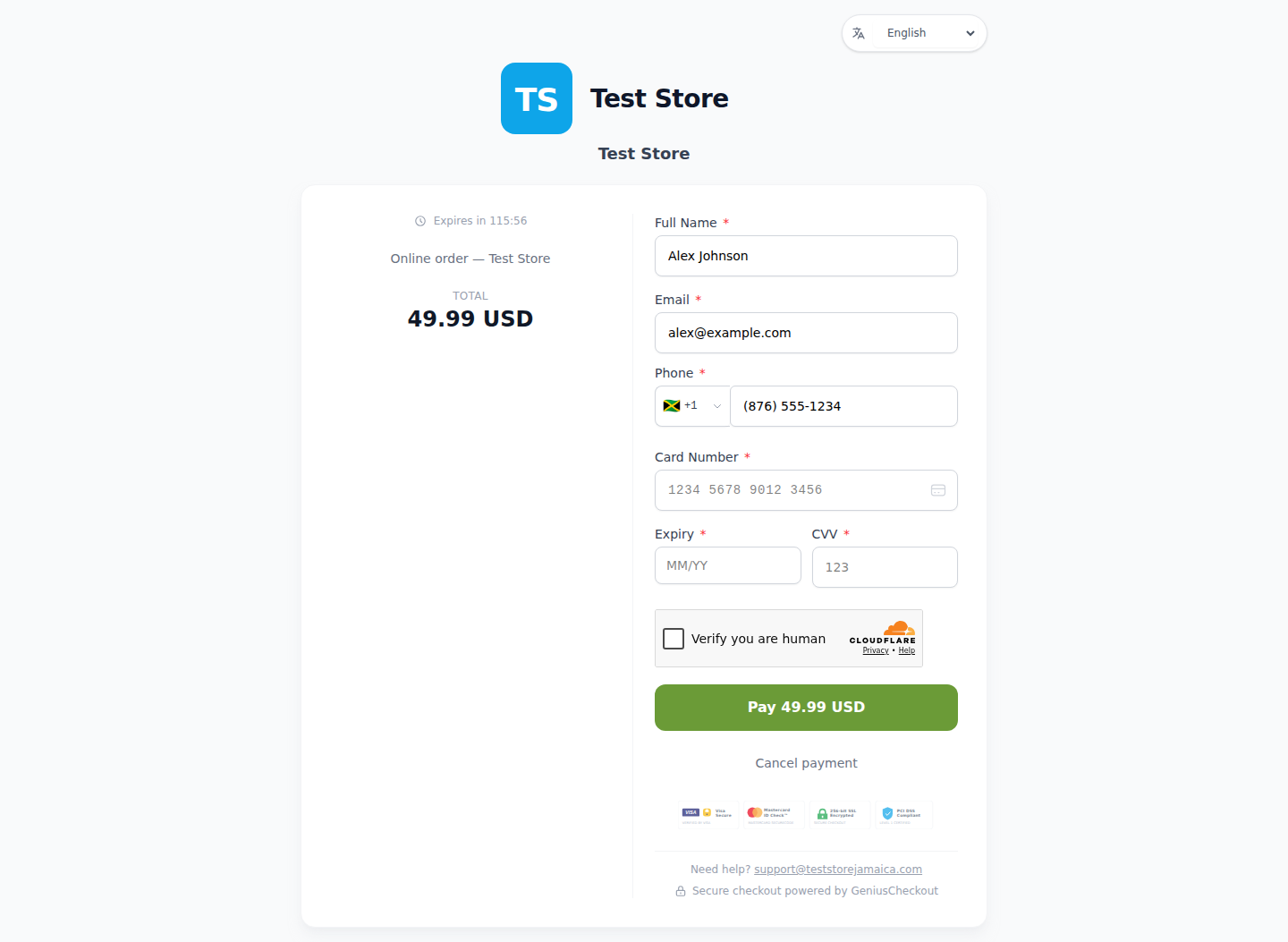
This is a real Genius Checkout Test Store checkout with Powertranz Direct as the only enabled payment gateway. The amount and currency are illustrative; the merchant's bank agreement determines which currencies can be processed and settled.
Frequently asked questions
Can an Aruba merchant charge in USD?
Only the institution can confirm which transaction and settlement currencies are enabled for the merchant profile. Configure the website after receiving that confirmation.
Can a saved card be used for a later booking balance?
Only with customer consent, a reusable provider token, and approved merchant-initiated or recurring capability. Do not store or re-enter card details manually.
Will every RBC or CMB account work with Genius Checkout?
No. It identifies connected locations and institutions. The institution still performs underwriting and defines the merchant's approved use.
Sources and next step
- Powertranz merchant locations
- RBC Caribbean eCommerce solutions
- Powertranz Hosted Payment Page
- Genius Checkout Powertranz overview
- Powertranz configuration guide
Create a Genius Checkout account or book a setup review with the RBC or CMB onboarding details.