
On this page
In Guyana, Genius Checkout currently supports Scotiabank through our Powertranz integration. Scotiabank must approve your eCommerce merchant account and issue Powertranz or First Atlantic Commerce (FAC) credentials before you can connect it to Genius Checkout.
Retail, professional services, travel, training, exports, and appointment-based businesses should first decide how the order will be confirmed and reconciled.
Last reviewed: September 25, 2026.
Ask Scotiabank for the complete gateway setup
Confirm whether the approved product is provisioned on Powertranz/FAC, whether it uses Direct or HPP, and which credentials belong to test and live. Ask for approved GYD and any other currencies, settlement accounts, 3-D Secure, refunds, authorization/capture, and tokenization.
If HPP is issued, collect PageSet and PageName. If a recurring use is planned, ask whether the merchant can store provider tokens and initiate later transactions. A POS account does not automatically include those online capabilities.
Select a channel that matches the order
| Business process | Useful connection |
|---|---|
| Retail catalogue with delivery | WooCommerce or Ecwid |
| Consultation, training, or appointment offer | HighLevel |
| Invoice or confirmed travel service | Payment link |
| Office, event, or printed bill | QR code to secure checkout |
| Existing local business system | Genius Checkout API |
The source system should create a unique attempt and send a searchable order or invoice reference. Genius Checkout records the payment and returns the verified result.
Protect the retry path
A declined card is a completed failed attempt, not an order to overwrite. When the buyer tries again, create a new transaction and a new gateway-facing order ID. The same principle applies to renewals and later invoice installments.
This preserves the audit trail and prevents a “Duplicate order ID not allowed” response from Powertranz.
Test GYD and cross-border scenarios separately
Guyana's local currency is GYD. A company serving international customers may also request another currency, but Scotiabank must enable it. Test each approved currency from product display through settlement. Show the ISO code; $ alone is ambiguous.
Run approval, decline, 3-D Secure, cancellation, Back navigation, interrupted return, duplicate callback, retry, and refund. For shipped exports, verify the order reference and fulfilment record. For recurring services, test token consent and renewal.
Understand Direct and HPP
Use Direct for the integrated Genius Checkout flow and approved reusable tokens. HPP redirects the buyer to the provider-hosted page. A hosted page should launch outside any iframe and return to a useful status page.
Both modes need server-side payment verification and a clear cancellation path.
Plan deposits, invoice balances, and adjustments
A travel provider may collect a deposit before confirming final arrangements, while a professional firm may request the full invoice amount. If Scotiabank enables split or partial capture, the business can authorize the full agreed amount, capture the deposit, then capture the remaining authorized balance within the allowed period. Otherwise, the balance must be a new payment.
An extra service, changed shipment, or new invoice is also a new charge. Keep the original business reference as metadata so staff can reconcile related payments without reusing an old gateway order ID.
Frequently asked questions
Can I accept a USD payment into a GYD account?
Ask Scotiabank to confirm transaction and settlement currencies and how conversion is handled. Do not infer the answer from a website setting.
Can a service company use a payment link instead of a store?
Yes. Use a unique link or invoice reference and keep confidential service details out of public gateway metadata.
Can Genius Checkout connect one account to several tools?
Yes, when the merchant approval covers the activities. Orders and attempts remain distinct by source.
See the Powertranz checkout experience
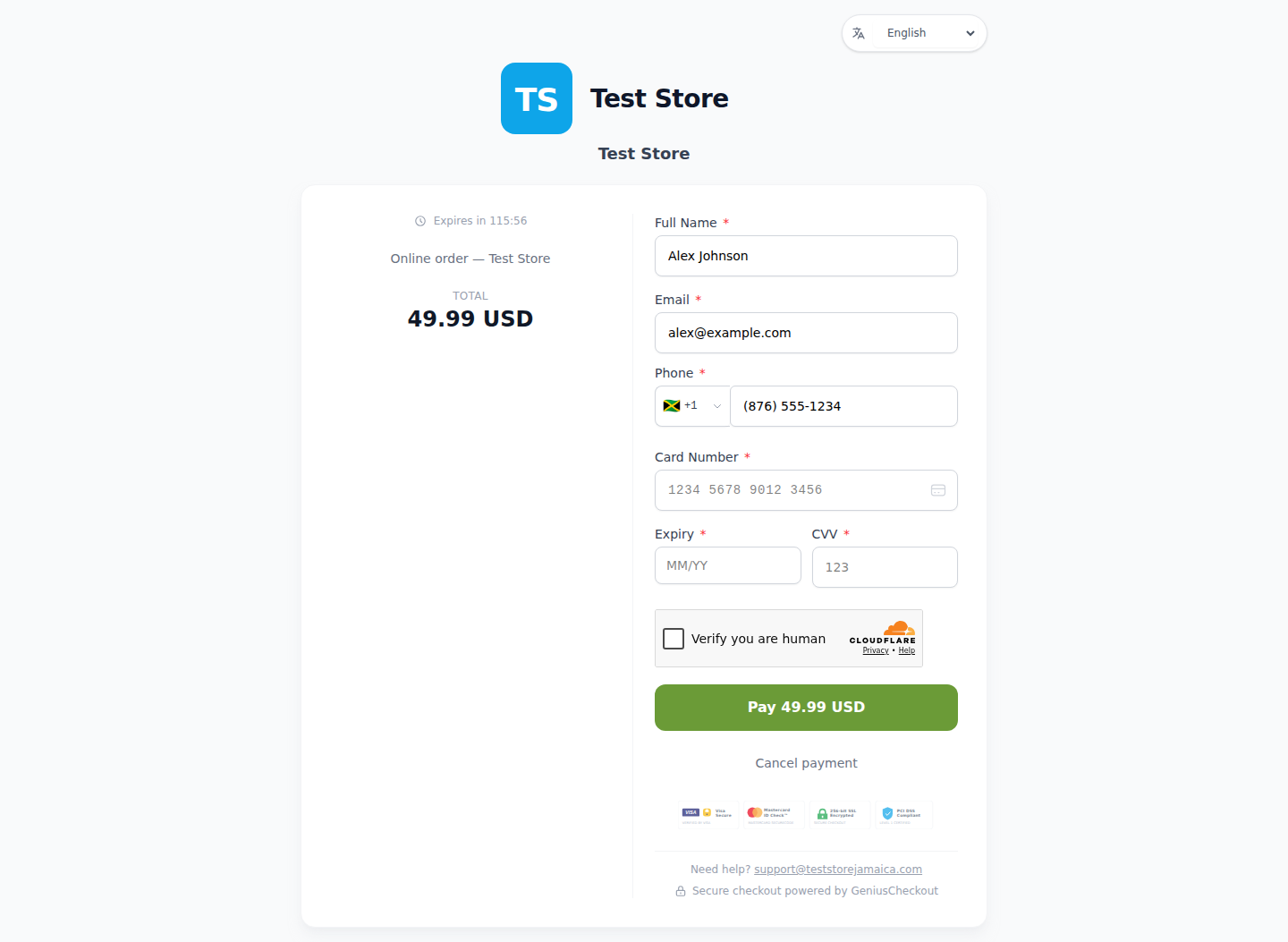
This is a real Genius Checkout Test Store checkout with Powertranz Direct as the only enabled payment gateway. The amount and currency are illustrative; the merchant's bank agreement determines which currencies can be processed and settled.
Sources and next step
- Powertranz merchant locations
- Powertranz payment gateway
- Genius Checkout Powertranz overview
- Genius Checkout payment links
- Powertranz configuration guide
Create a Genius Checkout account or book a setup review after Scotiabank provides the compatible online merchant credentials.