On this page
In Suriname, Genius Checkout currently supports Republic Bank through our Powertranz integration. Republic Bank must approve your eCommerce merchant account and issue Powertranz or First Atlantic Commerce (FAC) credentials before you can connect it to Genius Checkout.
Retailers, exporters, consultants, accommodation providers, and membership businesses should confirm currency and settlement details early. Website support for a currency does not mean the merchant profile can process it.
Last reviewed: September 25, 2026.
Confirm the gateway product and currencies
Ask Republic Bank whether the approved profile is on Powertranz/FAC and whether it uses Direct or HPP. Request separate test and live Merchant IDs and passwords, plus HPP PageSet and PageName where relevant.
Suriname's local currency context is SRD. An exporter or tourism business may also quote another currency. Obtain written confirmation of transaction currencies, settlement currencies, account requirements, and how conversion appears in reports.
Also confirm 3-D Secure, immediate sale, authorization and capture, void, full refund, partial refund, tokenization, and recurring-payment rights.
Choose a checkout route by order complexity
An online retailer with inventory and delivery needs WooCommerce or Ecwid. A consultant may need a payment link attached to an invoice. A sales team can use HighLevel to move a lead from quotation to payment. A local software platform can integrate with the Genius Checkout API.
The source system should send the customer's supplied details, amount, ISO currency code, and a meaningful order reference. It should not invent an address to satisfy an optional field or treat a browser redirect as proof of payment.
Direct versus hosted card entry
Use Direct when Republic Bank has enabled it and the merchant needs the integrated Genius Checkout experience or approved tokens. Use HPP when the merchant profile is designed for the Powertranz-hosted page.
For HPP, test top-level navigation, return, cancellation, and Back. For Direct, test 3-D Secure and confirm that logs never contain a primary account number or CVV.
Send customer information accurately
Pass the name, email, phone number, and billing address supplied by the buyer. Do not insert a sample address when the buyer did not provide one. If Powertranz rejects accented or non-Latin characters in a gateway field, Genius Checkout may transliterate those characters for the processor while retaining the customer's original spelling in the order wherever the receiving system supports it.
Test common Surinamese names, phone formats, and address formats before launch. The checkout should ask only for information that the merchant account or business process actually requires.
Test both a local and cross-border order
Run an approved and declined payment, authentication flow, cancellation, retry, duplicate callback, refund, and any planned capture operation. For an exporter, confirm that product currency, transaction currency, shipping record, receipt, and settlement can be matched without ambiguity.
If the business uses recurring billing, test the initial consent and token, first renewal, failed renewal, and payment-method update. Every renewal or retry must have a new gateway-facing order ID.
Write an operational escalation path
Staff should know when to contact the website operator, Genius Checkout, Powertranz support, or Republic Bank. Record correlation IDs, transaction references, UTC timestamps, and safe error messages. Never ask a customer to resend card data while investigating.
Frequently asked questions
Can Genius Checkout settle directly into my account?
Settlement remains part of the Republic Bank/acquiring agreement. Genius Checkout provides the integration and transaction record.
Can I show prices in more than one currency?
Display choices are possible, but only submit currencies enabled for the merchant profile. State the actual charged currency clearly.
Can one account connect to several platforms?
Yes, if the bank approval covers the use. Genius Checkout can connect multiple supported sales channels while keeping their orders and attempts distinct.
See the Powertranz checkout experience
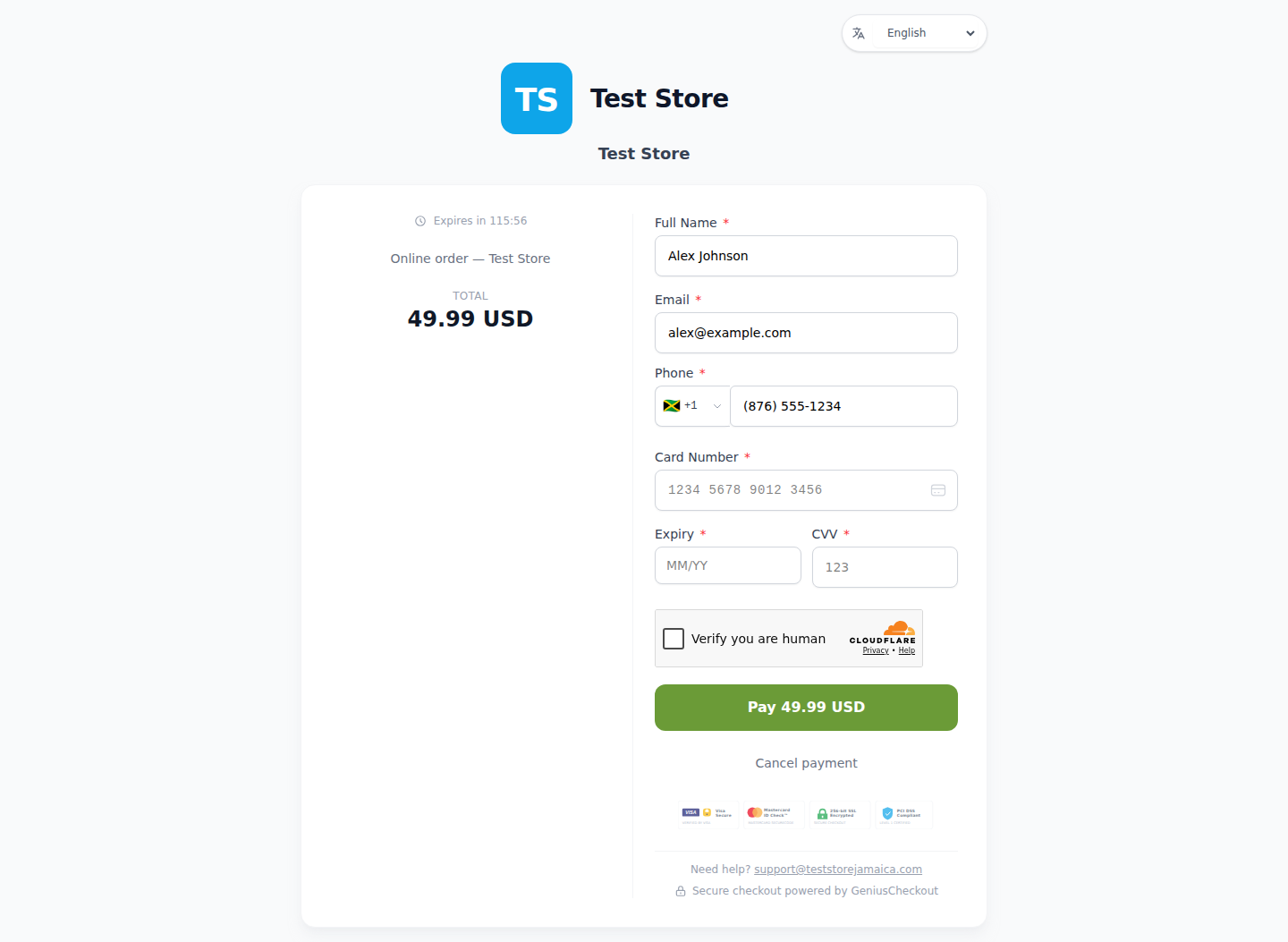
This is a real Genius Checkout Test Store checkout with Powertranz Direct as the only enabled payment gateway. The amount and currency are illustrative; the merchant's bank agreement determines which currencies can be processed and settled.
Sources and next step
- Powertranz merchant locations
- Powertranz payment gateway
- Genius Checkout Powertranz overview
- Payment links and QR codes
- Powertranz configuration guide
Create a Genius Checkout account or book a setup review after Republic Bank confirms the compatible gateway profile.